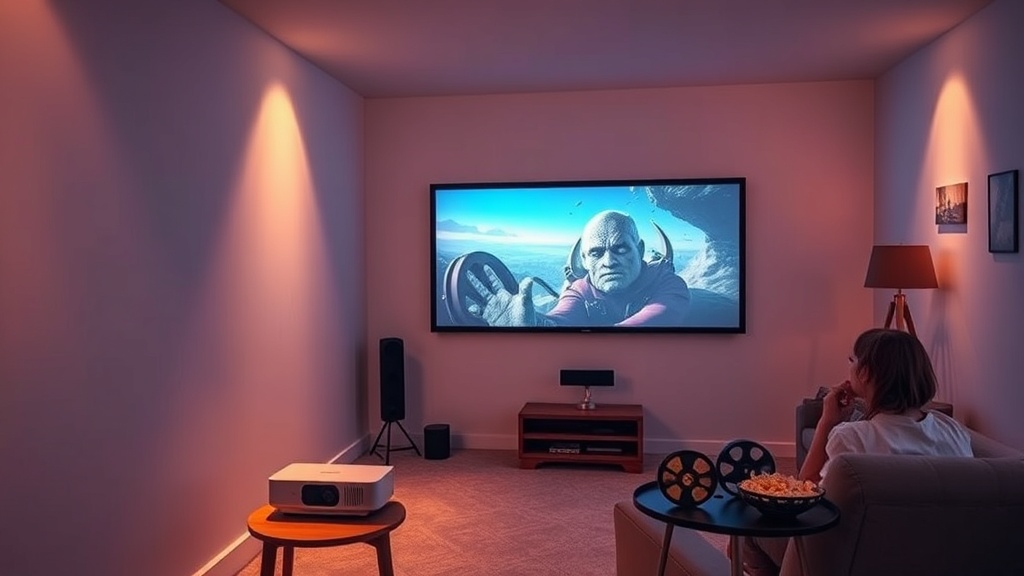
Build a Budget Home Theater That Feels Like a Cinema

Title: Build a Budget Home Theater That Feels Like a Cinema
Hook
Ever walked into a friend’s tiny living‑room and felt the same goose‑bumps you get in a downtown cinema? I’ve built a few “budget‑friendly” rigs that still make me reach for the popcorn‑bucket, and I’m about to spill the exact recipe.
Context
Most cinephiles think a true theater experience means a $10k + sound system, a 4K HDR projector, and a custom‑built room. That’s a myth that drives many of us to settle for a sub‑par TV setup and wonder why the magic never arrives. In this guide I’ll strip away the hype, focus on what actually matters, and give you a step‑by‑step plan you can start this weekend.
What’s the absolute minimum you need to feel like you’re in a dark room?
1. Which projector gives the biggest bang for the buck?
A true cinema‑grade image starts with the projector, not the screen. Look for 1080p resolution, 2,500‑3,000 lumens, and a native 1.2:1 throw ratio. The Epson Home Cinema 2150 (≈$850) checks all those boxes and supports HDR10. It’s far cheaper than a 4K model but still delivers deep blacks when paired with a proper screen.
Source: RTINGS.com projector review (2025)
2. How do you choose a screen without spending a fortune?
A black‑backed, 120‑inch matte white screen (≈$120) works better than a painted wall for most ambient‑light rooms. If you can’t mount a screen, a high‑gain blackout cloth (e.g., Projector Screen Store’s 120‑inch 1.5 gain) stretched over a frame does the trick.
Source: AVS Forum “DIY screen” thread (2024)
3. What’s the cheapest way to get immersive sound?
| Component | Recommended Budget Choice | Approx. Cost |
|---|---|---|
| Center speaker | Polk Audio T15 | $70 |
| Front left/right | Klipsch R‑41M (pair) | $180 |
| Surrounds | Polk T15 (pair) | $70 |
| Subwoofer | Monoprice 12‑inch 150 W | $80 |
| AV receiver | Yamaha RX‑V385 (5.1‑channel) | $260 |
Total ≈ $660 – a fraction of a high‑end home‑theater amp but still delivers clear dialogue and punchy effects.
4. How should you arrange the room for optimal acoustics?
- Speaker placement: Center speaker directly under the screen, left/right speakers at ear level angled 22‑30°.
- Subwoofer: Corner placement for bass boost; use the “subwoofer crawl” test to find the sweet spot.
- Acoustic treatment: A couple of 30 × 30 cm acoustic panels behind the listening position cut reflections without costing more than $50.
Source: “Home Theater Acoustics for Beginners,” CNET (2023)
5. What calibration steps turn a decent picture into a cinematic one?
- Set projector to “Cinema” mode and disable any “Dynamic” or “Vivid” presets.
- Adjust keystone so the image is perfectly rectangular.
- Use a grayscale chart (e.g., AVIA Soft‑Proof) to set white point to D65 (6500 K).
- Tweak gamma to 2.2 for a balanced contrast curve.
- Enable “Dynamic Black” only if the room is very dark; otherwise keep it off to preserve detail in shadows.
6. Do you really need a “smart” remote or can a universal one suffice?
A Logitech Harmony Elite (≈$350) can control projector, receiver, and streaming devices with a single button press, but a standard universal remote (≈$30) plus a smartphone IR app works just fine for a budget build.
How to actually set it up step‑by‑step
What you’ll need
- Epson Home Cinema 2150 projector
- 120‑inch black‑backed screen or blackout cloth
- Yamaha RX‑V385 receiver
- Speaker set (Polk & Klipsch as above)
- Subwoofer, acoustic panels, power strips, HDMI cables, speaker wire
Step‑by‑step solution
- Mount the screen on a wall or freestanding frame, ensuring it’s level.
- Place the projector on a sturdy shelf, align it with the screen’s center, and run a short HDMI cable to the receiver.
- Wire the speakers to the receiver: center under screen, left/right at ear height, surrounds behind the listening position, subwoofer in a corner.
- Connect the receiver to the projector via HDMI‑ARC (if supported) or standard HDMI.
- Power everything up and run the receiver’s auto‑calibration (YPAO).
- Fine‑tune picture using the grayscale chart and gamma settings described above.
- Add a streaming stick (Roku, Fire TV, or Apple TV) for easy content access.
Pro tip: Keep the projector’s lamp cool by installing a small USB fan behind it; it extends lamp life by 15‑20%.
Common mistakes
| Mistake | Fix |
|---|---|
| Using a bright‑white wall instead of a proper screen | Install a blackout cloth or cheap matte screen – the contrast jump is night‑and‑day. |
| Placing speakers too close to the walls | Pull them at least 2 ft away to reduce boomy bass. |
| Ignoring room lighting | Dim or blackout curtains dramatically improve perceived black levels. |
| Over‑compressing video streams | Stream at 1080p @ 60 fps from a reputable source (Netflix, Disney+). |
Takeaway
You don’t need a $12 k budget to feel the “dark‑room” rush. With a modest projector, a well‑chosen speaker set, a proper screen, and a few calibration tweaks, you can recreate the cinema vibe in a spare room for under $2,000. Grab the gear, follow the steps, and enjoy movies the way they were meant to be seen — no popcorn‑scented theater required.
Related Reading
- Why Theaters Sound Like Movies and Your TV Doesn’t: The Loudness Lie – A deep dive into cinema‑grade audio dynamics.
- The LED Wall Is Lying to Your Eyes: How The Volume Became Cinema's Most Expensive Crutch – Why a projector can beat a massive LED screen for authenticity.
- The 4K Disc Is the Last Honest Format. Everything Else Is Renting. – The case for physical media in a streaming world.
FAQ (Structured Data)
{
  "meta": {
    "faqs": [
      {
        "question": "What’s the best budget projector for a home theater?",
        "answer": "The Epson Home Cinema 2150 offers 1080p resolution, 2,500‑3,000 lumens, and HDR support for under $900, making it a top choice for budget builds."
      },
      {
        "question": "Do I really need a 120‑inch screen?",
        "answer": "A 120‑inch black‑backed screen provides the ideal balance of immersion and cost; a plain wall works but sacrifices contrast and black levels."
      },
      {
        "question": "How can I improve bass without spending a lot on a subwoofer?",
        "answer": "Place a modest 12‑inch subwoofer in a corner and use the “subwoofer crawl” test to find the spot that delivers the deepest bass."
      }
    ]
  }
}
Tags: home‑theater, budget, DIY, tech, cinema
Category: guides‑rankings
Author: Leo Vance