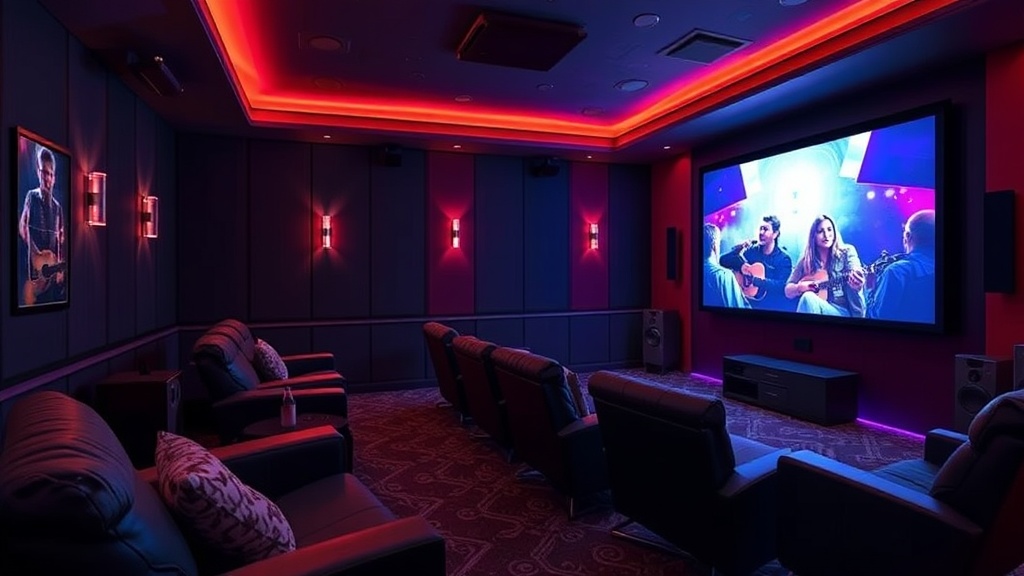
How to Build a Cinematic Home Theater Experience on a Budget

The Projectionist’s Secret: It’s Not About the Price Tag, It’s About the Intent
I spent a decade in the dark. Before I was writing for Film Fanatic, I was a projectionist in a crumbling indie house in Brooklyn. I spent my twenties staring at the grain of 35mm film, learning that a great cinematic experience isn't actually about having a million-dollar budget. It’s about the controlled manipulation of light, sound, and space. When you’re in a theater, the world disappears. The goal of a home setup isn't just to watch a movie; it’s to be transported by it.
Most people think building a home theater requires a massive line of credit and a dedicated room with soundproofed walls. That’s a myth. Whether you are working with a dedicated media room or just a corner of your living room, you can achieve a level of immersion that rivals the local multiplex if you prioritize the right technical elements. Let’s break down how to build a high-fidelity experience without draining your savings.
1. The Visual Foundation: Screen and Light Control
The biggest mistake I see enthusiasts make is overspending on a high-end 4K TV while ignoring the room's environment. You can have the most advanced OLED panel on the market, but if there is a glare from a window hitting the screen, the black levels—the very soul of cinematic depth—will be ruined. In the projection booth, we fought light leaks like they were the enemy. You must do the same.
- Blackout is Non-Negotiable: Invest in heavy, blackout curtains. If you can’t control the ambient light, you can’t see the shadow detail in a scene from a film like The Revenant.
- The Screen vs. The TV Debate: If you have a large, open living space, a high-quality 75-inch+ TV is often better than a cheap projector. Projectors are great, but a budget projector on a white wall looks washed out. If you go the projector route, invest in a fixed frame screen. A screen provides a flat, consistent surface that maximizes gain and contrast.
- Mind the Aspect Ratio: If you’re a purist, you know the struggle of the "black bars." While modern TVs handle this well, if you are building a dedicated setup, consider the viewing distance. A screen that is too small for your seating distance will break the immersion of wide-format cinematography.
Once you have your visual foundation set, you need to think about the "engine" that drives the image. While many people jump straight to expensive receivers, a smart move is to look at the best soundbars of 2026 for the budget-savvy cinephile. A high-end soundbar can often provide a more seamless experience for a living room setup than a messy tangle of wires and mid-range speakers.
2. The Auditory Experience: Soundstage and Spatiality
If the image is the body of the film, the sound is its soul. In the theater, we didn't just hear the dialogue; we felt the low-frequency rumble of a spaceship or the subtle rustle of leaves behind the audience. This is "spatial audio," and it is the most critical component of modern cinema.
A common pitfall is buying a "5.1 system" that consists of five mediocre speakers and a subwoofer that lacks punch. Instead, focus on the geometry of your sound. You want to create a soundstage that wraps around you.
- The Subwoofer is the Anchor: Don't skimp here. The LFE (Low-Frequency Effects) channel is what gives a movie its weight. A decent, dedicated subwoofer will do more for your immersion than three extra satellite speakers ever could.
- Understand the Formats: You’ll often see debates online about which format is superior. To truly master your setup, you should understand the nuances of Dolby Atmos vs DTS:X. While Atmos is the industry standard for height-based audio, knowing how your hardware interacts with these formats will help you make better purchasing decisions.
- Placement Matters More Than Price: A $500 speaker placed at ear level and angled toward your "sweet spot" will sound significantly better than a $1,000 speaker sitting on the floor behind a couch. Use your ears, not just the spec sheet.
Pro-tip: If you find yourself getting too caught up in the technical minutiae and feeling overwhelmed, take a break. Much like the burnout cycle seen in competitive gaming, obsessing over perfect calibration can sometimes rob you of the actual joy of watching a film. Sometimes, a good movie just needs to be watched, not analyzed.
3. Optimizing the Environment: Ergonomics and Atmosphere
A home theater isn't just a collection of electronics; it’s a ritual. In the old days, we’d dim the lights, the smell of popcorn would fill the air, and the theater would go silent. You need to replicate that sense of ceremony at home.
Seating and Sightlines: You don't need motorized recliners, but you do need a consistent viewing angle. If you are sitting too low, you’ll be looking up at the screen, which causes neck strain. If you are too far back, the scale of the image is lost. Aim for a seat height that puts your eyes at roughly one-third of the way up from the bottom of the screen.
Acoustic Treatment: Hard surfaces are the enemy of good audio. If your room has hardwood floors and bare walls, your sound will bounce around, creating echoes that muddy the dialogue. You don't need professional acoustic foam, but adding a thick rug, some heavy curtains, or even a bookshelf filled with books can act as a natural diffuser, cleaning up the soundstage significantly.
The "Pre-Show" Ritual: Part of the experience is the preparation. Before you start your marathon, do a quick audit of your setup. Check your cable connections, ensure your software is updated, and make sure your lighting is set. A seamless transition from "living room" to "cinema" is what separates a casual viewer from a cinephile.
4. Sourcing Content: The Final Piece of the Puzzle
You can have a $10,000 setup, but if you are watching a highly compressed, low-bitrate stream, it will look and sound terrible. Streaming services are convenient, but they are often "lossy." They compress the data to save bandwidth, which means you lose the fine grain of the film and the subtle nuances of the score.
To truly test your new gear, I recommend sourcing high-bitrate content. This could mean:
- Physical Media: 4K Ultra HD Blu-rays are the gold standard. The bitrates are exponentially higher than even the best streaming services.
- High-Quality Digital Files: If you use a media server like Plex, ensure you are sourcing high-quality rips that preserve the original audio and video tracks.
As we look toward the future, the technology driving these experiences is constantly evolving. It’s not just about the hardware, but the people designing it. We are seeing a massive shift in the industry, with women engineers powering the next wave of film tech, ensuring that the tools we use to tell stories are more precise and immersive than ever before. This technical evolution is what makes building a home theater so exciting—the ceiling for what is possible is constantly rising.
Summary Checklist for Your Budget Build
If you’re feeling overwhelmed, just follow this hierarchy of needs. Don't move to step two until step one is solid.
- Control the Light: Blackout curtains and a matte surface (screen or TV) are your first priority.
- Establish the Soundstage: Get a decent subwoofer and place your speakers at ear level.
- Optimize the Room: Add soft surfaces (rugs, fabric) to manage echoes.
- Source High-Quality Media: Don't let a bad stream ruin your expensive hardware.
Cinema is the highest form of human achievement because it combines every other art form—photography, music, acting, writing—into a single, cohesive vision. When you build your home theater, you aren't just buying gadgets. You are building a temple for that vision. Do it with intention, and I promise, the movies will never look the same again.
Steps
- 1
Optimize Your Soundscape
- 2
Master Ambient Lighting
- 3
Enhance Seating Comfort
- 4
Minimize Screen Glare